Glagol / Windows application case study
Glagol Speech tools built around the desktop.
A multilingual Windows application for dictation and optional local text-to-speech. Explore the product decisions, real interface and implementation behind an AxionAI desktop project.
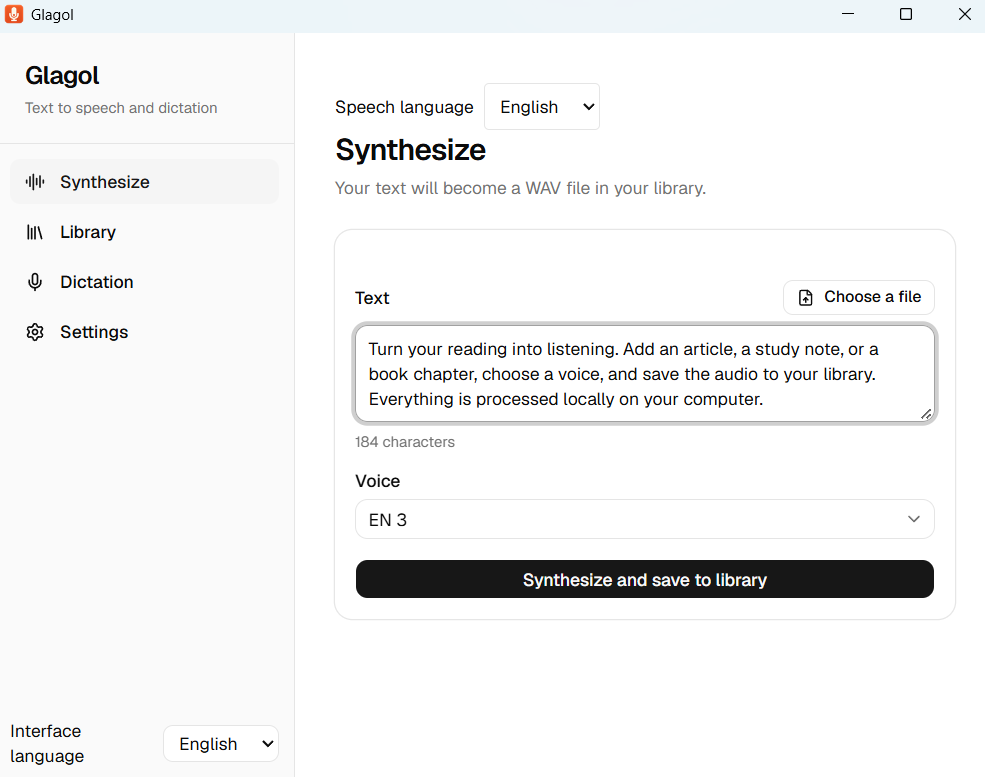
Featured release: Glagol 0.5.0. English and Russian interface, dictation and text-to-speech. The screenshots below show the real English interface.
Bring speech into an everyday Windows workflow
Glagol addresses two related tasks: turning speech into text and written text into audio, in English and Russian. The desktop application brings the controls, local library and configuration into one place. Interface, dictation and synthesis languages can be selected independently.
Dictation uses a push-to-talk shortcut and can place recognized text in the active application or on the clipboard. Optional text-to-speech takes text or documents and produces WAV audio for the local library.
The design has to account for more than the main action. Users need to understand component downloads, speech-service configuration and which processing mode they have selected.
One product, several implementation decisions
Glagol uses Tauri, Rust, React, TypeScript and SQLite. The web-based interface sits alongside desktop functionality and local persistence. This is the stack used for this product; an AxionAI client project starts with its own requirements.
- Multilingual experience. Independent interface and speech languages, language-specific models and voices, and localized setup and playback keep the same desktop workflow usable in English and Russian.
- Desktop interaction. A global shortcut and clipboard/paste workflow connect dictation to other Windows applications.
- Configurable processing. Speech recognition can use optional local components, an organization server or a cloud service.
- Explicit setup. Optional components have their own download and installation states.
- Local output. Generated audio can be played, exported as WAV and included in a library backup.
Make the processing route visible
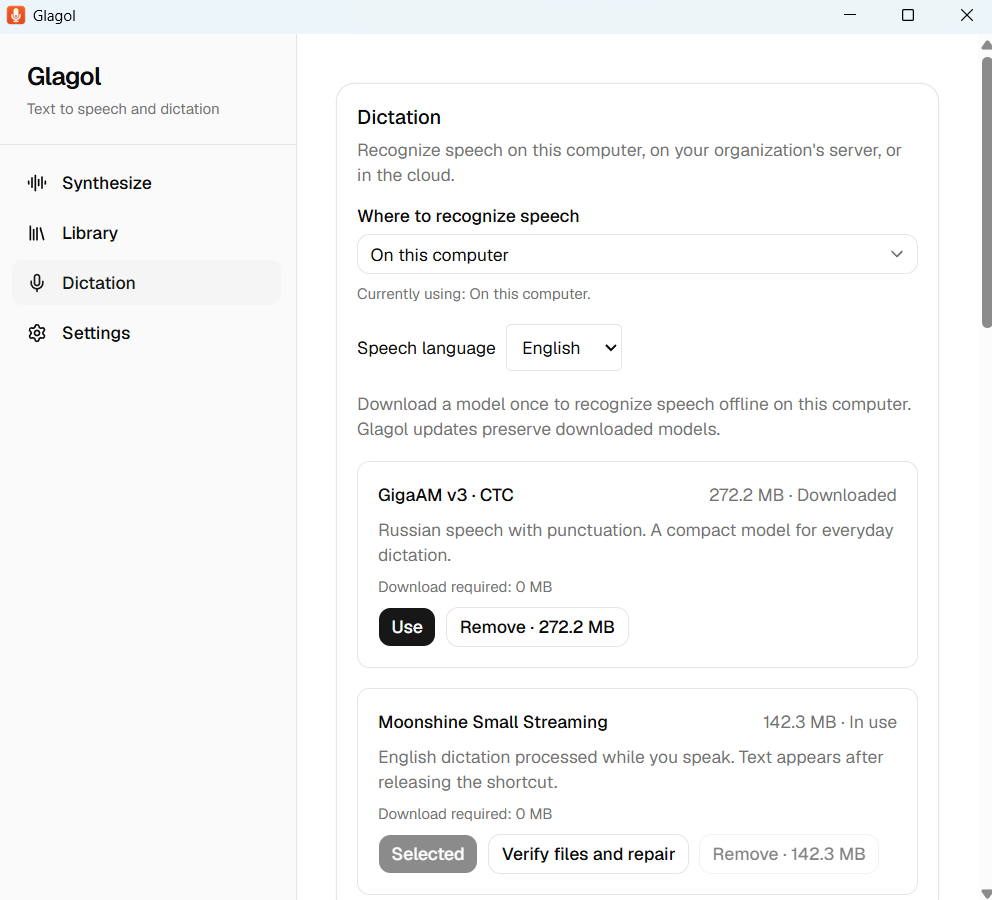
Local recognition uses Moonshine Small Streaming for English and GigaAM for Russian, after the corresponding model and runtime have been installed. Organization-server and cloud modes send audio to the endpoint the user configures. The choice changes both setup and data handling.
The capture below shows English dictation configured to run on the computer, with Moonshine selected. Language-specific models share one setup flow while keeping their installation and selection states clear.
Carry the workflow through to playback
Dictation and text-to-speech are configured independently. Optional Silero synthesis requires a separate model and runtime download. Once installed, that local synthesis workflow can operate without an internet connection.
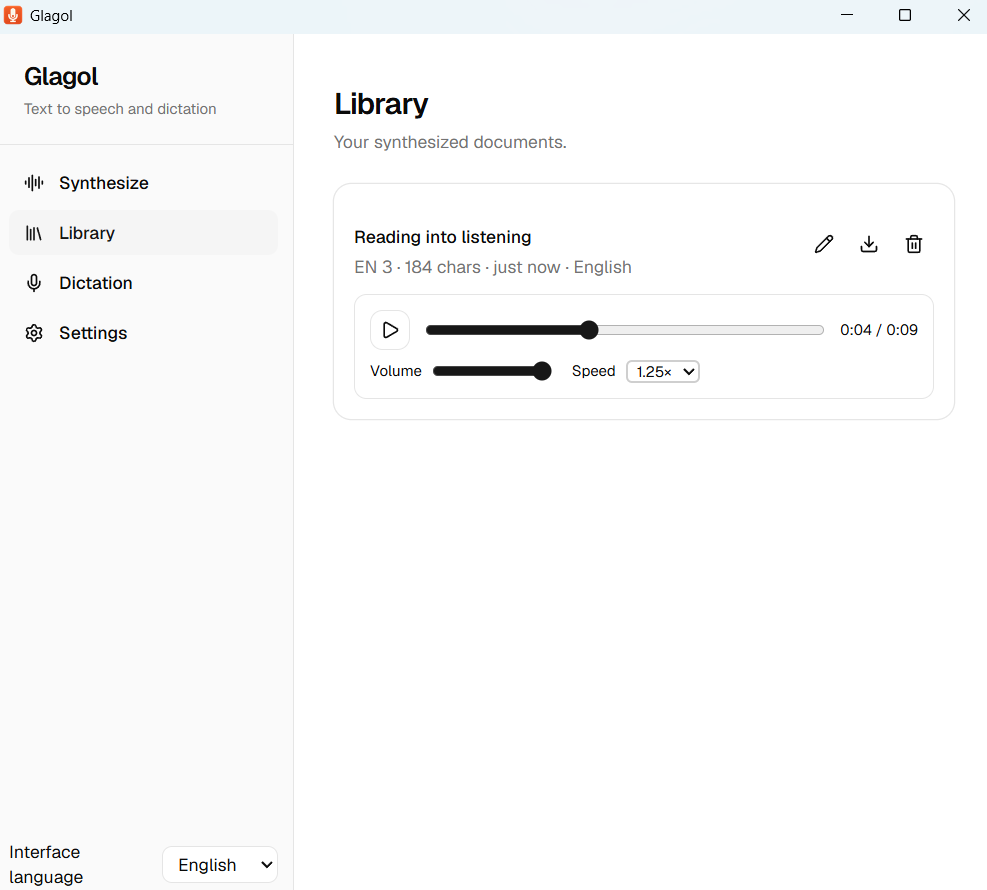
The application code is MIT licensed. The optional Silero English and Russian models have separate noncommercial terms, shown inside the app. The English library below shows a saved demonstration recording with playback, speed and export controls.
Inspect the application and its documentation
The source repository includes English and Russian guides, release notes and implementation documentation. The screenshots here are evidence of visible interface states; they are not a performance benchmark or a complete test report.
Glagol 0.5.0 is packaged for Windows 10/11 x64. Its installer is unsigned. Review the release documentation and component requirements before trying this featured version.
Questions about the featured application
What does Glagol do?
Glagol provides English and Russian push-to-talk dictation for Windows and optional local text-to-speech in both languages. Dictation can paste text into the active application or use the clipboard. Text-to-speech can import TXT, Markdown, DOCX and PDF files, save completed audio in a local library and export WAV files.
Can Glagol work offline?
Yes, when you choose local components. Moonshine English dictation, GigaAM Russian dictation and Silero speech synthesis work without network requests after their models and runtimes have been downloaded and verified. Downloads require internet access. Organization-server and cloud dictation send audio to the endpoint you configure.
Which languages does Glagol support?
Glagol 0.5.0 supports English and Russian in its interface, dictation and text-to-speech. Interface and speech languages are selected independently, without restarting. Local English dictation uses Moonshine Small Streaming; Russian uses GigaAM. Local speech requires an explicit language selection; it does not translate text or detect mixed-language speech.
Can an organization use Glagol?
Glagol itself is MIT licensed, and its dictation modes can be used in organizations subject to the selected model or service terms. Optional Silero English v3_en and Russian v5.5 models are separate noncommercial components under CC BY-NC-SA 4.0. Review each component and provider license for your use case.
What does Glagol require?
The current release supports 64-bit Windows 10 and 11. Local dictation uses the CPU and separately downloaded language models. Optional Silero needs at least 1.9 GB free during initial installation and shares its runtime between English and Russian. Performance varies by computer.
Why can Windows SmartScreen warn about the installer?
The Glagol 0.5.0 installer is not code-signed. Download it only from the official GitHub release and verify the published SHA-256 when you need an integrity check. The warning is disclosed here and in the release documentation.
What should your Windows application do?
Send us the workflow you want to improve. We will study the requirements and prepare a free report with a proposed first version, implementation approach, delivery stages and the questions needed to refine an estimate.