Frequenta · Gamified customer loyalty
Frequenta Gamified loyalty for small businesses.
Turn repeat visits into progress, rewards and a reason to come back. Frequenta is gamified loyalty software for small businesses, combining visit milestones and a configurable prize wheel with QR check-in and simple tools for your team.
Launch offer
Free plan: up to 100 customers
Bring a domain or subdomain you own.
5% / 10% / 15% / 20% / 25% / 30%
Interactive demo. Sample discounts show the wheel in action; they do not create a redeemable reward. Your program uses its own prizes and rules.
Try Frequenta from all three sides
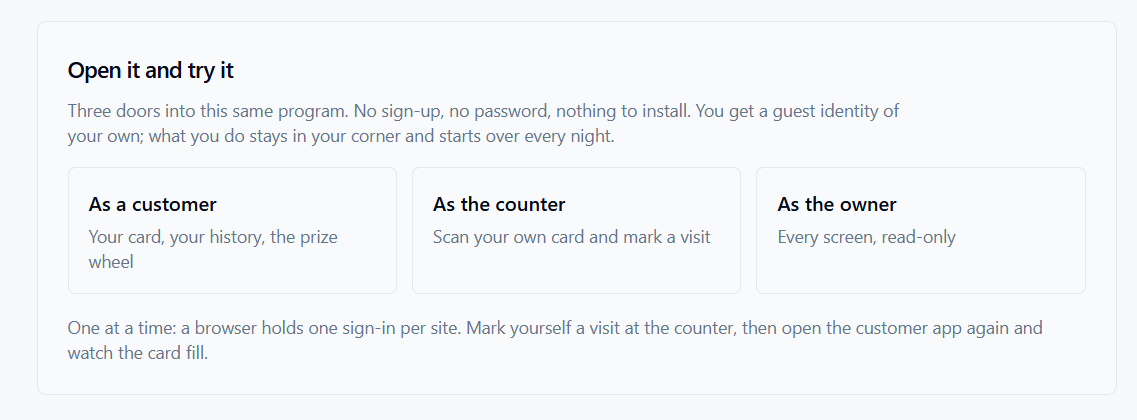
Explore a live loyalty program as a customer, a counter operator or a business owner. No sign-up, password or installation is needed to enter the demo.
- As a customer: explore your loyalty card, visit history and prize wheel.
- As an operator: scan your demo card and record a visit at the counter.
- As an owner or administrator: explore the screens in read-only mode.
Use one role at a time in the same browser. Record a demo visit as the operator, then switch back to the customer view to see the card progress. Your guest demo activity resets every night.
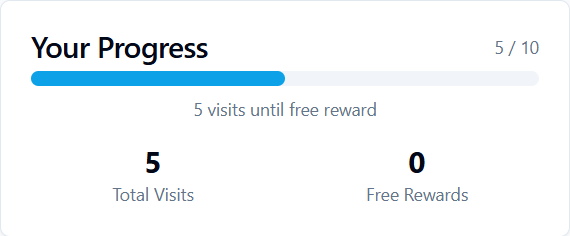
From a customer visit to a reward
A loyalty program should be straightforward for the person at the counter and the person coming back. Frequenta separates the work into three connected steps.
- Choose what a return visit earns. Enable visit-based loyalty, set the number of visits needed and write a reward name your customers will understand.
- Record the visit. Customers do not need their phone in hand. They can tell staff their number or enter it at a configured kiosk. Staff can also scan a customer QR code and confirm the action.
- Recognize and redeem the reward. Customers can view their loyalty activity in the customer app. Staff process a reward through its QR code or identifier, and administrators can review the redemption record.
Customer sign-in by email or SMS
A phone number connects each customer to their loyalty visits. Your business can configure email or SMS verification for customer registration and sign-in.
Start collecting visits before signing up. Customers can give their number to the operator or enter it at a kiosk, without having their phone with them. Visits are saved against that number and credited when they register with the same number. Registration is required to spin the prize wheel; your program's spin rules still apply.
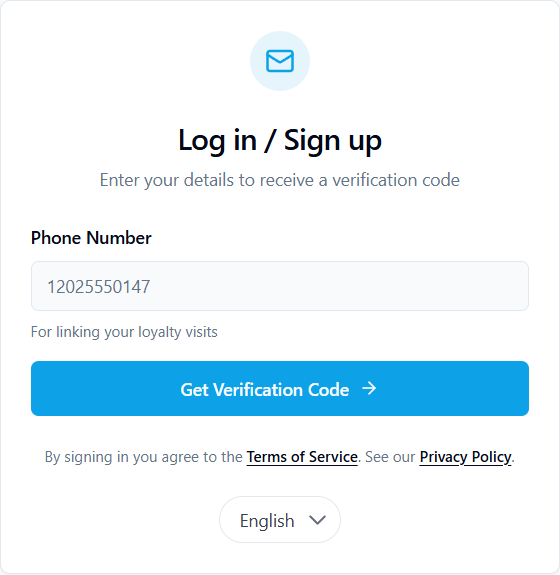
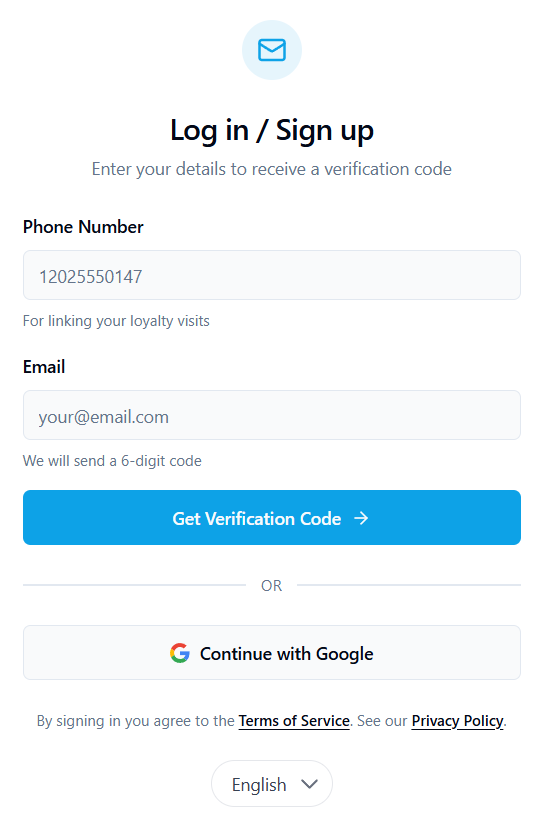
Two examples of customer sign-in, depending on the program's settings. SMS verification requires a configured provider; messaging charges are separate. Open either screenshot for a closer look.
Give every visit a sense of progress
Give customers a visible goal: their next reward. Choose a milestone from 1 to 100 regular visits, then add a reward name and description so they know what they are working toward.
For example, a service business could offer a free service after ten regular visits. That is an example configuration, not a required offer: the milestone and reward wording are yours to set.
Manage your visit milestone and reward from the Admin Panel. You can pause new milestone rewards while keeping rewards customers have already earned.
This approach suits businesses where returning visits matter and staff can clearly define what counts as a qualifying visit.
Add a playful moment with a prize wheel
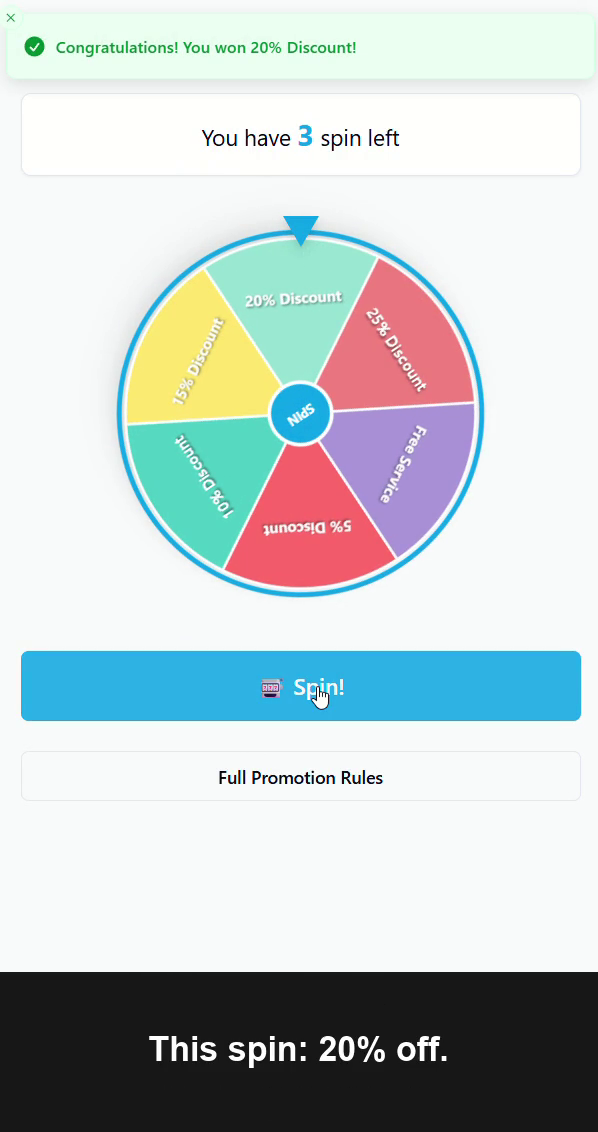
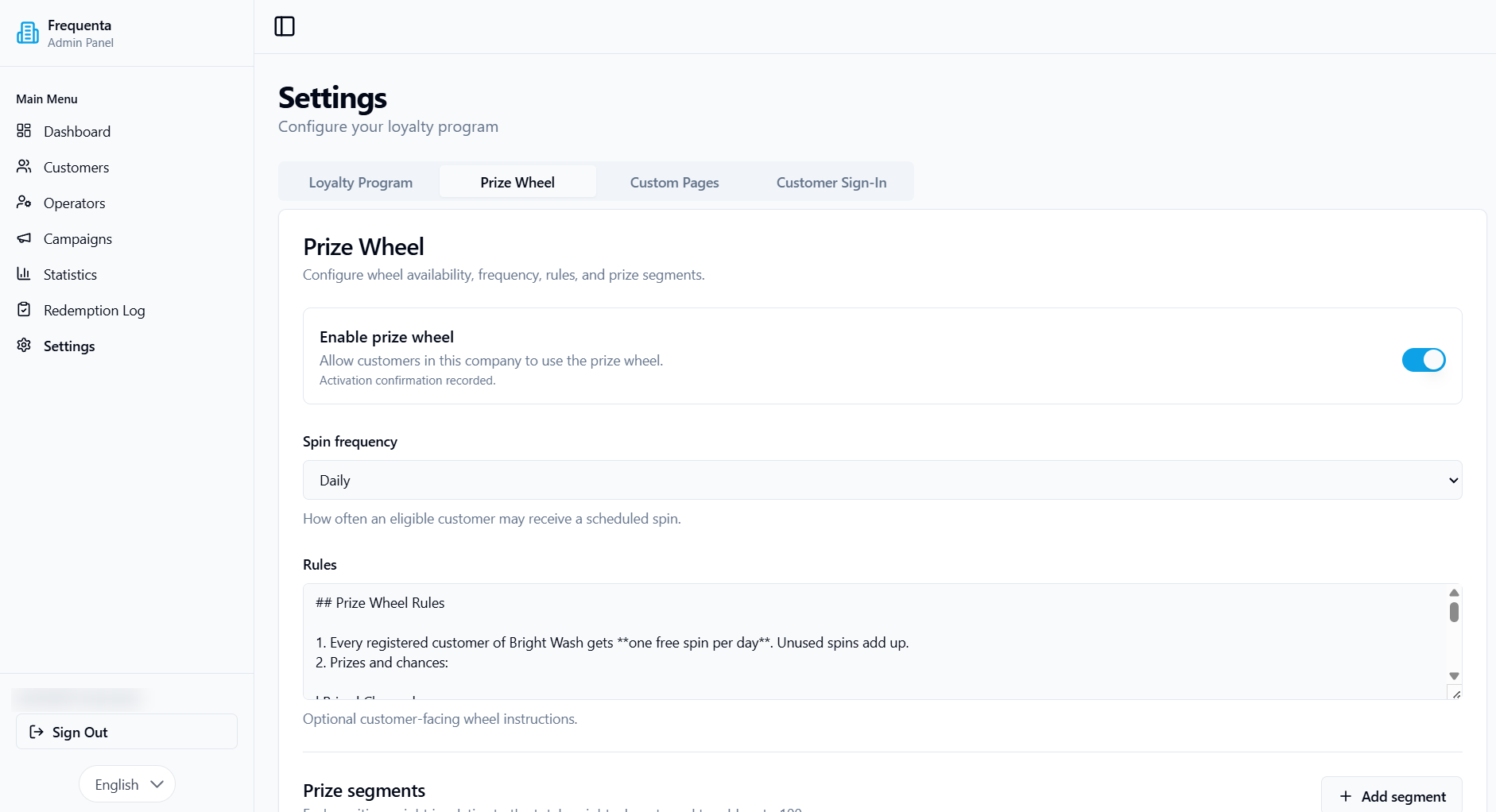
Make a return visit more memorable with an optional prize wheel. In the Admin Panel, choose a daily, weekly or monthly spin frequency, write customer-facing rules and configure between 1 and 12 prize segments.
Choose discounts, free services, points or a no-prize outcome. Give each segment a name, optional value and relative weight to set its chance of appearing. A program can include a losing segment; a spin does not have to award a discount every time.
The wheel beside the introduction is an interactive sample. Its six equal-chance discount segments are separate from the configurable wheel in a business account.
No phone in hand? The visit still counts.
Customers present their personal QR code from the customer app. Your staff scan it in the Operator workspace, review the populated phone number and select the required action. A reward QR fills the reward field instead.
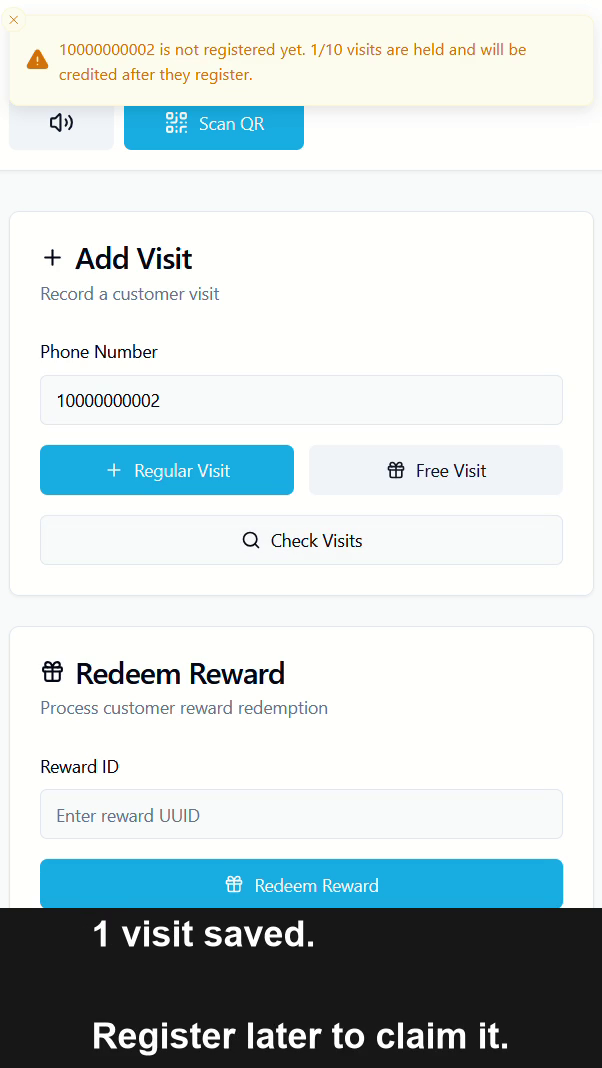
Your operator confirms each action before moving to the next customer. If a customer has left their phone at home, they can simply tell the operator their number. At a configured kiosk, they can enter the number themselves.
A customer who has not registered yet can still have visits saved against their phone number. Those visits are credited when they register with the same number. Held visits do not earn a milestone reward until registration is complete. Customers also need to register before they can spin the prize wheel.
Explore the Operator workspace
Let customers check in at a self-service kiosk
Set up a dedicated Android device with Chrome, a front camera, stable Wi-Fi and continuous power. Customers can choose to scan their code, enter their phone number or view a link to get the customer app.
A customer QR or phone entry starts a regular-visit action. The kiosk shows whether the visit was counted for a registered customer or saved until registration. A supported reward QR can redeem a reward at the kiosk; staff still provide the physical reward or service.
Use a dedicated operator account for the device. Kiosk activity is recorded against that account, and free-visit actions remain in the Operator workspace. The kiosk needs a connection: offline scans are not queued for later.
Give staff their own workspace
Owners manage the program in the Admin Panel. Staff use the Operator workspace to record regular visits, check progress and redeem rewards for their company.
Create separate operator access for each member of the team. You can freeze and restore an operator's access without deleting the work they recorded. A dedicated kiosk account keeps a shared device separate from a personal administrator login.
The Operator workspace also shows recent company activity, including actions from another device, to help staff follow what just happened during service.
Give customers a timely reason to return
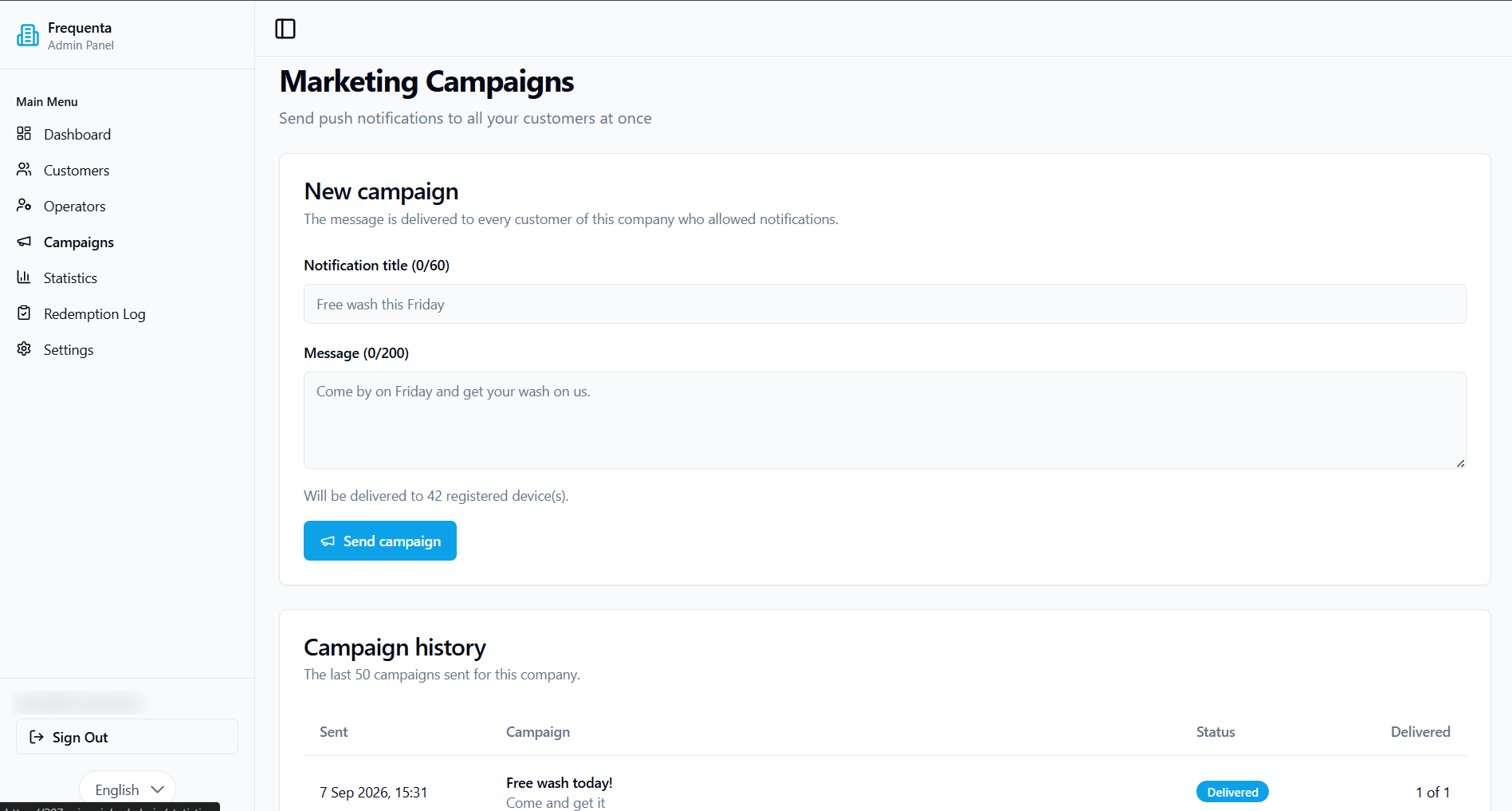
Use the Admin Panel to compose push notifications for customers who have allowed notifications. Announce an offer, share a reminder or highlight a reason to visit again.
Write a title and message, review the registered-device count and consult campaign history. Notification delivery depends on customer permissions and device availability.
Review visits and redeemed rewards
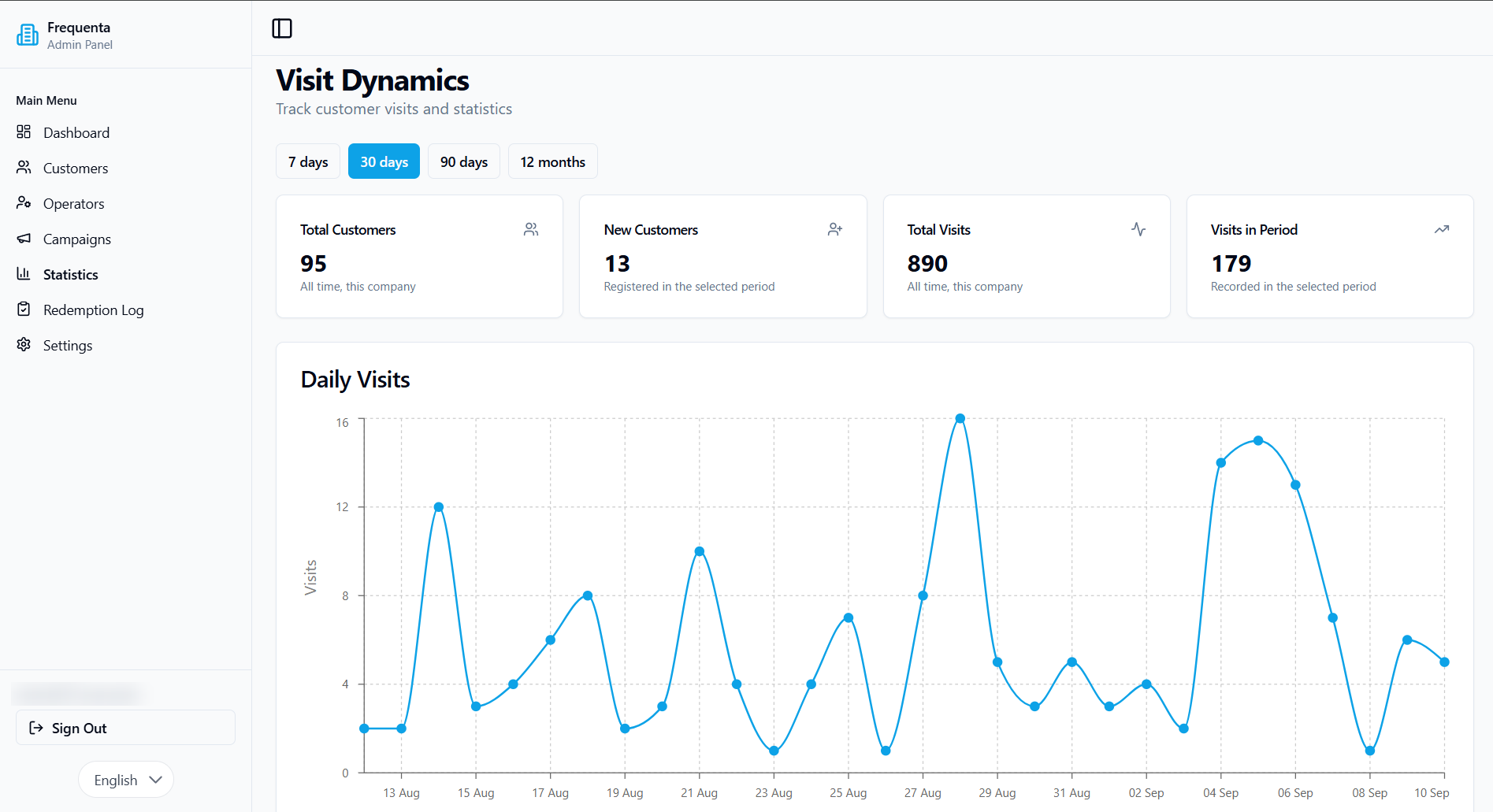
See customer, operator-account and visit totals in the administrator dashboard. The Daily Visits chart provides a 30-day trend view.
For individual rewards, use the Redemption Log. Search and filter redeemed rewards by the available customer, reward and date fields. The log distinguishes loyalty and wheel rewards and shows the account that processed a redemption when that information was recorded.
Use these views to check participation and follow up on reward activity. To measure financial results, combine program activity with your own sales and cost records.
Run your loyalty program on your own domain
Use a domain or subdomain that your business owns. Registration collects your business name, domain and owner email, then verifies the owner by email code.
After registration, Frequenta provides the records needed to connect your domain. You can access the Admin Panel from the completion screen while domain setup is pending. The customer program then uses your configured business address.
Customer sign-in can use email codes. SMS verification is also configurable through your company's Twilio account; delivery costs and sender availability depend on that provider.
You can publish informational pages in the customer app for content such as program information and business rules.
Launch offer: start free with up to 100 customers
Frequenta is currently free to start. Use the customer app, visit-based rewards, configurable prize wheel, Operator workspace, kiosk and administrator tools on the free plan, with up to 100 registered customers.
Bring your own domain. If you choose SMS verification, your Twilio messaging costs are separate. The free plan includes an inactivity rule; see the details below.
Questions before you start
How does Frequenta use gamification?
Customers can follow their progress toward a visit reward and take part in a configurable prize wheel. You choose the visit milestone, wheel prizes, relative chances and spin frequency. These mechanics give your program a clear goal and an optional element of surprise.
Is Frequenta suitable for my small business?
Frequenta is a fit to explore when you reward repeat visits, have staff who can confirm visits or rewards, and want a customer program on your own domain. The same workflow can be considered for different service businesses; the right reward and qualifying-visit rules depend on how your business operates.
Do customers need to register before their first visit is recorded?
No. Staff or the kiosk can save a visit against an unregistered phone number. The customer must later register using that same number to receive the held visits in their account and earn milestone rewards. Customers do not need their phone with them to record a visit by number. They must complete registration before spinning the prize wheel. Registered customers use the customer app for their QR code and loyalty activity.
Can I use Frequenta without a kiosk?
Yes. Staff can use the Operator workspace with manual entry or its QR scanner. The dedicated customer-facing kiosk is an additional workflow.
Does the kiosk work without internet?
No. It requires a working connection for visit and reward actions. It does not store offline scans for automatic upload later.
Is there a free plan?
The free plan supports up to 100 registered customers. Existing members can continue using the program when that limit is reached, but new members cannot join. Administrator and operator accounts do not count toward the customer limit.
The free plan also has an inactivity rule: a program unused for 30 days is suspended, with an owner email warning on day 23. If you need a larger program or seasonal availability, discuss the requirements before launch.
Read the current free-plan limits.
Where can my team find instructions?
The Frequenta Help Center has separate administrator and operator guides, including setup, visits, rewards, kiosk use and troubleshooting.
Give customers their next reason to return
Start with a visit milestone, add rewards that suit your business and invite your first customers. Your team gets a clear workflow; customers get progress they can follow.
Free plan: up to 100 customers. Questions before registering? Talk to AxionAI.